


This article describes how to schedule a task that will back-up all the jobs. You can use the option which was created for that in Scheduler Properties.
To schedule all jobs, please follow these steps:
- Open Backup4all
- Press the Scheduler (F11) button

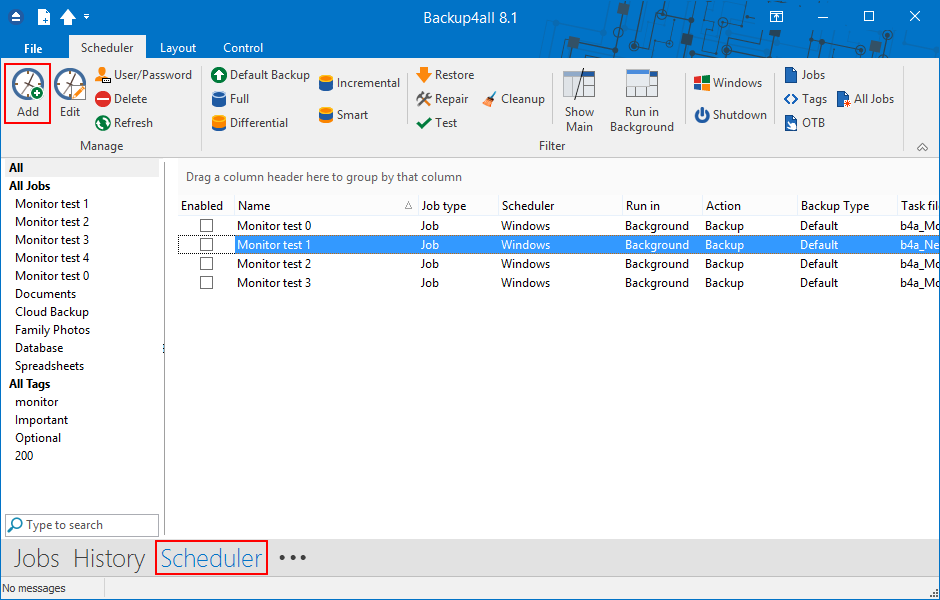
- Press Add button to create a new task
- In the Run section, select All jobs (see image bellow).

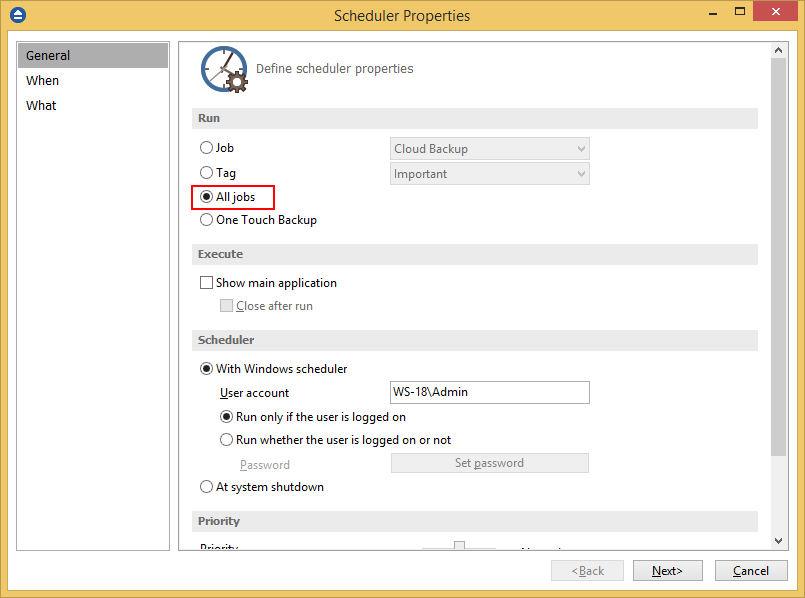
- In the Execute section, you can select to show the Main application during execution or it will only run in background.
- In the Scheduler section press the Set password button and type your Windows login password.
- Press Next
- In the next page, press Add and select the start time and the execution frequency. (see image bellow)

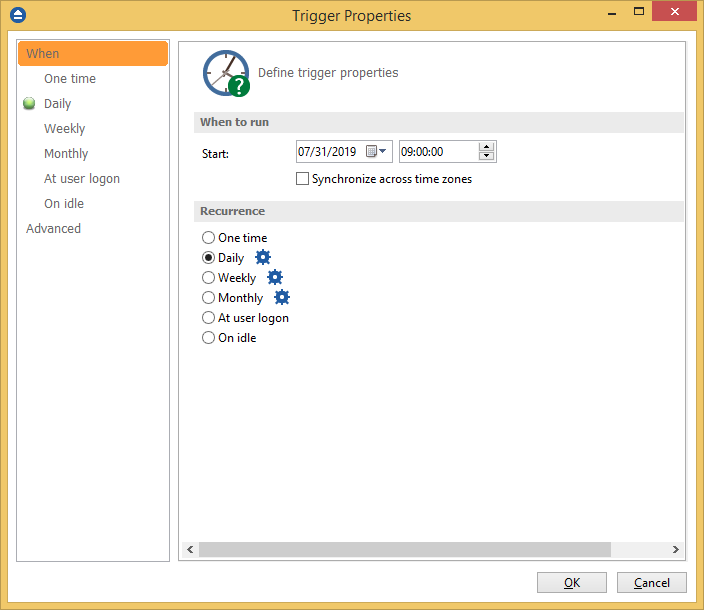
- Press OK.